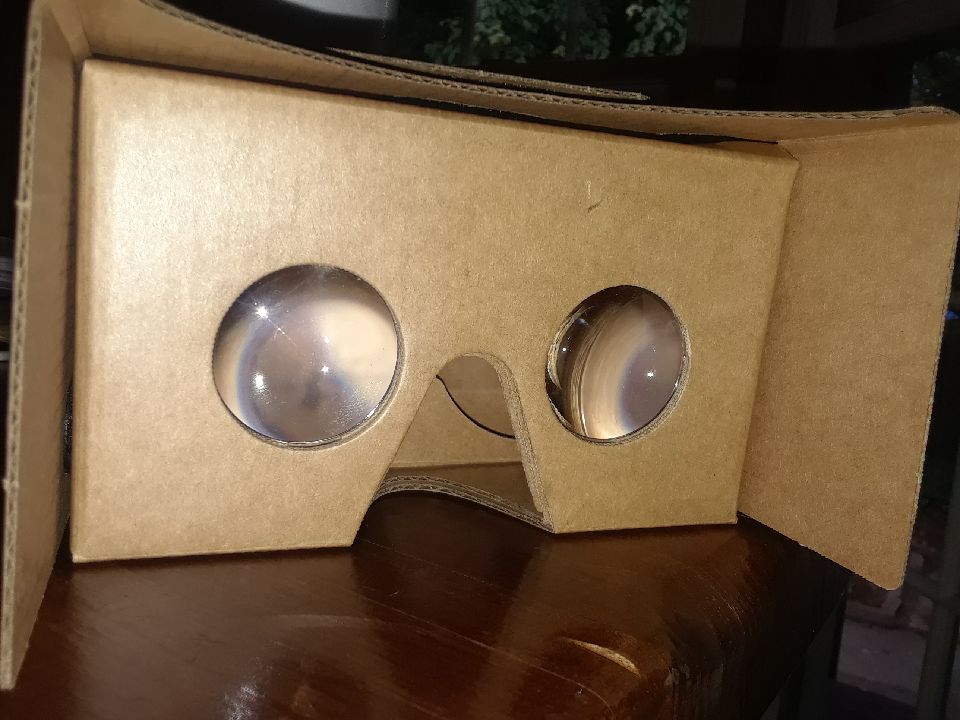

This probably won’t come as a shock, but I have never before experimented with virtual reality goggles of any kind (que gasps!) I found the idea of fiddling with them initially intimidating. How am I supposed to figure out how to use these? Is it hard to set up? When they arrived I was pleasantly surprised by their simplicity. They are literally cardboard! Huh! After my initial concerns proved to be moot, my next thought was how could I utilize this technology in my classroom. I knew I did not want to have an isolated lesson for the sole purpose to use the technology, but rather a lesson that was enhanced by the use of the glasses.
In looking at the apps that are available I was drawn to the YouTube 360 app within the Google Cardboard app. This app gives the viewer a 360 view of virtually any location. I thought that this was an amazing way to help my students (especially visual learners) really get a visual for the novels we read. This past semester we read Temple Grandin’s Animals in Translation, in the novel Temple describes how she doesn’t think with words (like most people do) she thinks in pictures.
My students were intrigued by this, but very few of them could relate to hearing a word (like “church”) and then relate to the idea of seeing several hundred versions of churches in their head. I think that I could use Google Cardboard in the class by helping the students relate to what it’s like to “be” Temple Grandin. I also could see this VR technology as a way to provide context for places they have never been to before. Yes, they could always Google images on their computer or phone if they want to set the scene for themselves. But the VR 360 adds a layer of submersion that is lacking by simply looking at a computer screen. I have posted a screen shot from the 360 app below.
The affordances of Google Cardboard are pretty self explanatory: the app is free, it is incredibly easy to use (great for beginners like me), you take it out of the box and its good to go. The constraints (in my mind) slightly outweigh the affordances: it cost $15 (yes, that is inexpensive at far as VR goes, but it could be difficult to get a class set of these in the classroom), it requires a smartphone- which not all students (especially middle schoolers) have access to, and the app is very slow to load (granted there is a chance that this is my wifi and not the app),.
Helpful tips for the classroom:
- make sure that all students have access to a smartphone
- do a trial run before your lesson to make sure that the app opens without issue.
Overall, I like the idea of using this in the classroom as a way to enhance my lessons and as an opportunity to add context and dimension to conventional text. Was anyone able to find any app specific to English?
 Notorious Bookworm